Personalize your Squarespace site for different visitors
Dynamite runs on Squarespace from one line in the Code Injection Header field, which Squarespace injects into the head of every page. Saving makes it live, with no publish step. Code injection is limited to certain plans.

Install on Squarespace with one line of JavaScript
<script defer src="https://www.usedynamite.com/dynamite.js" data-site="your-site"></script>Code Injection and plans
Squarespace says code injection is available in the Core, Plus, Advanced and some legacy billing plans. On 7.1, open the Pages panel, click Custom Code at the bottom, then Code Injection. On 7.0 the panel sits under Website Tools. Paste the line into Header and save.
Before you start
- A Squarespace site on a plan that includes code injection (Core, Plus, Advanced or some legacy plans)
- Permission to edit the site’s Code Injection settings
- A Dynamite workspace for the site’s domain
Steps
- Open Code InjectionOn 7.1, open the Pages panel, click Custom Code at the bottom, then Code Injection. On 7.0, open Website Tools.
- Paste into Header and saveCopy the line from Installation in Dynamite, paste it into the Header field and click Save. Leave the Order confirmation field as it is.
- Confirm the installOpen the site in a private window. Installation shows the script checking in.
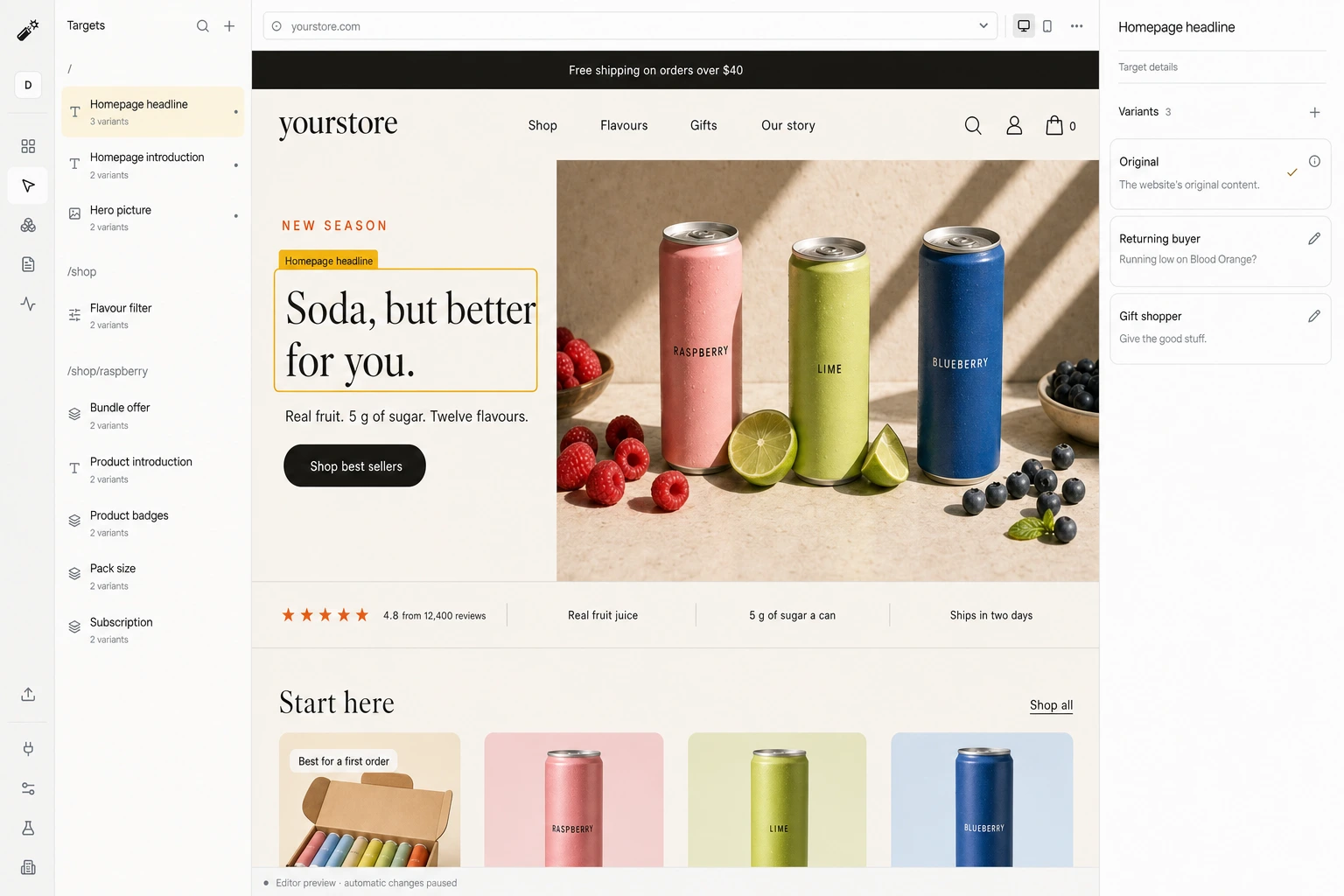
- Review a draft and go liveStep through each target and version in the editor, set the goal, then publish.
Good to know
- No Squarespace extension. The install is one line in Code Injection, on a plan that includes it.
- Checkout pages do not support code, so nothing changes there.
- Booking tools and 7.0 Ajax navigation are untested with Dynamite.
What happens on each visit
- A visit arrivesYour original page renders first.
- Signals are readCampaign, pages viewed, past visits, and any data you connected.
- A version is pickedOnly among the versions you approved, usually within 300 ms.
- The page changes, or staysAfter 1.5 s, or on any error, the original is kept.
Convert 20% more of your existing traffic
Dynamite’s real-time AI serves every visitor the content and offers most relevant to them, typically outperforming a static website by 20%.
You keep control
Dynamite doesn't generate new designs on the fly. You configure the possible designs on our dashboard, along with who they are for.
Questions
Which plans support installation?
Squarespace lists code injection in the Core, Plus, Advanced and some legacy billing plans. On any other plan the line cannot be added.
Will my booking form still work?
Dynamite changes only the regions you register, so a booking block left out of them is not touched. Acuity and Squarespace Scheduling are untested, and we check yours before a draft goes live.
How do I remove the script?
Open Code Injection, delete the line from the Header field and save. To stop personalization and keep the line, use Pause in Dynamite.
See Dynamite with Squarespace.
Or email samraaj@ion.design