Match your landing page to your Google Ads campaigns
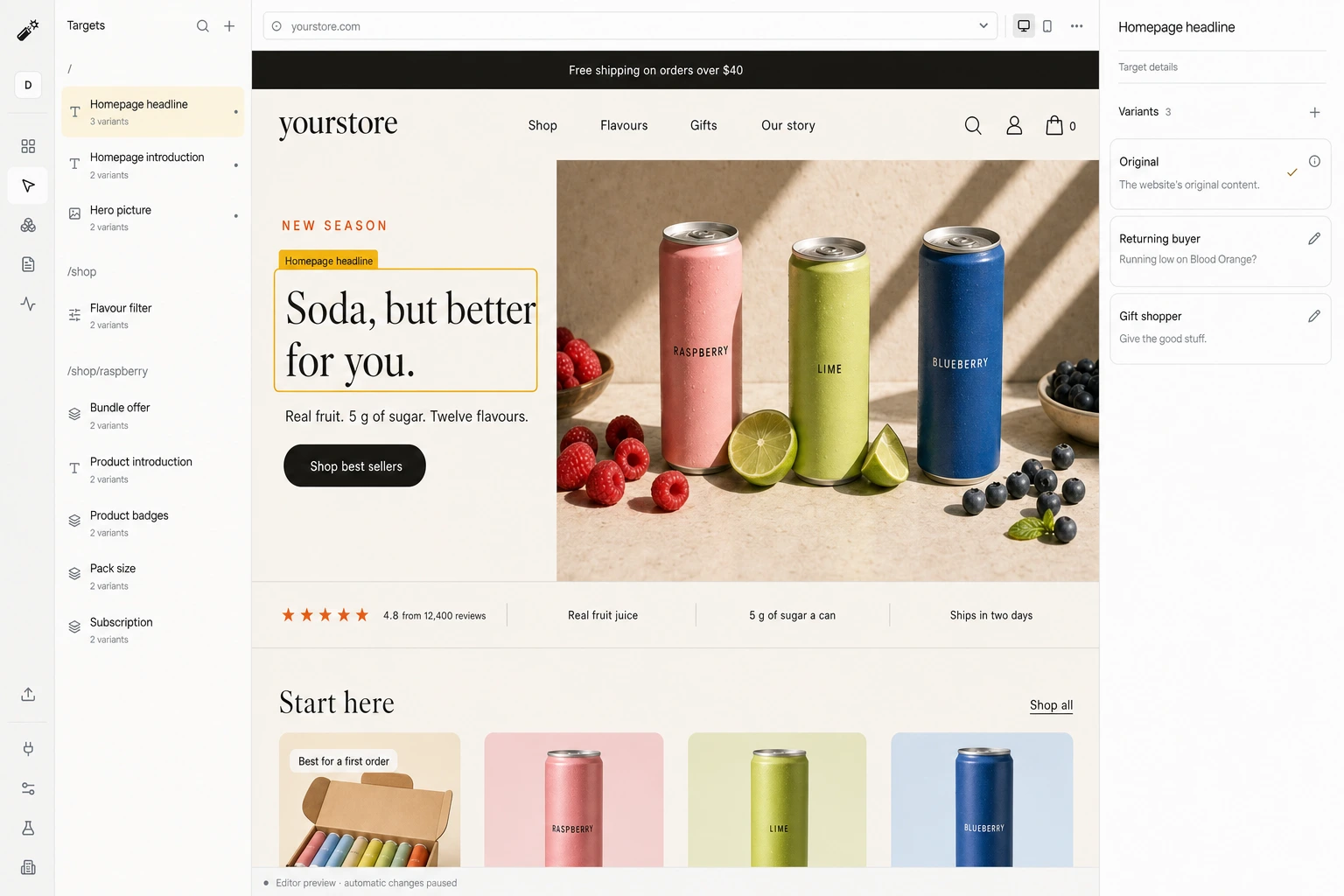
Dynamite reads the campaign, ad group, ad and matched keyword behind a Google Ads click and shows the landing page version you approved for it.
The Final URL suffix
One value, set once for the whole account, names the campaign, ad group, ad and matched keyword on every click. Google fills the braces. If the account already has a suffix, keep it and join the two with &.
Skip the suffix and you still get the campaign from gad_campaignid, and utm_campaign, utm_term and utm_content match campaign, ad group and ad names.
dyn_ad=g-{campaignid}-{adgroupid}-{creative}-{keyword}Before you start
- Dynamite installed on the pages your ads point to
- A Google login with access to the Google Ads account and its tracking settings
- Ads connections switched on for your workspace, which we do with you during onboarding
Steps
- Connect the accountOpen Data → Ads, press Connect on the Google Ads row and sign in.
- Set the Final URL suffixIn Google Ads, open Account settings → Tracking and paste the value above as the Final URL suffix.
- Write a version per ad group, then testIn the editor, write a version for each ad group that needs one. Load the landing URL with real IDs in the suffix, confirm the match, then publish.
Good to know
- The keyword is the one you bid on. Write versions per ad group and treat it as supporting context.
- Ad copy is pulled for responsive search ads and a display ad’s long headline. Other formats match by ID and name.
- A pull stops at 3,000 campaigns, 15,000 ad groups and 30,000 ads per account.
Convert 20% more of your existing traffic
Dynamite’s real-time AI serves every visitor the content and offers most relevant to them, typically outperforming a static website by 20%.
You keep control
Dynamite doesn't generate new designs on the fly. You configure the possible designs on our dashboard, along with who they are for.
Questions
Which campaign information reaches Dynamite?
Campaign name, channel and targeted locations, the ad group name, the ad’s first three headlines and description, and the matched keyword when the suffix passes it.
Do I need separate landing pages?
No. Ad groups can share one URL, and each gets its own approved version of the regions you chose.
What happens when parameters are missing?
With auto-tagging on, gad_campaignid still names the campaign. With nothing to match, the visit is treated like any other and the visitor sees the original page.
See Dynamite with Google Ads.
Or email samraaj@ion.design