Personalize your Webflow site with Dynamite
Dynamite goes into a Webflow site as one line of head code. It is a script with no listing in the Webflow marketplace. Once the site is published, it swaps approved versions into the elements you register.

Install on Webflow with one line of JavaScript
<script defer src="https://www.usedynamite.com/dynamite.js" data-site="your-site"></script>What Webflow needs
Webflow allows custom code on a site with an active Site plan, or in a Core, Growth, Agency or Freelancer Workspace. The line goes in Site settings, on the Custom code tab, in Head code. Nothing happens until the site is published.
Before you start
- A Webflow site with an active Site plan, or a Core, Growth, Agency or Freelancer Workspace
- Permission to edit site settings and publish
- A Dynamite workspace for the site’s domain
Steps
- Paste the line into Head codeCopy the line from Installation in Dynamite. In Webflow, open Site settings, then the Custom code tab, paste it into Head code and save.
- Publish the siteCustom code is not live until you publish to your domain.
- Confirm the installOpen the published site once. Installation shows the script checking in.
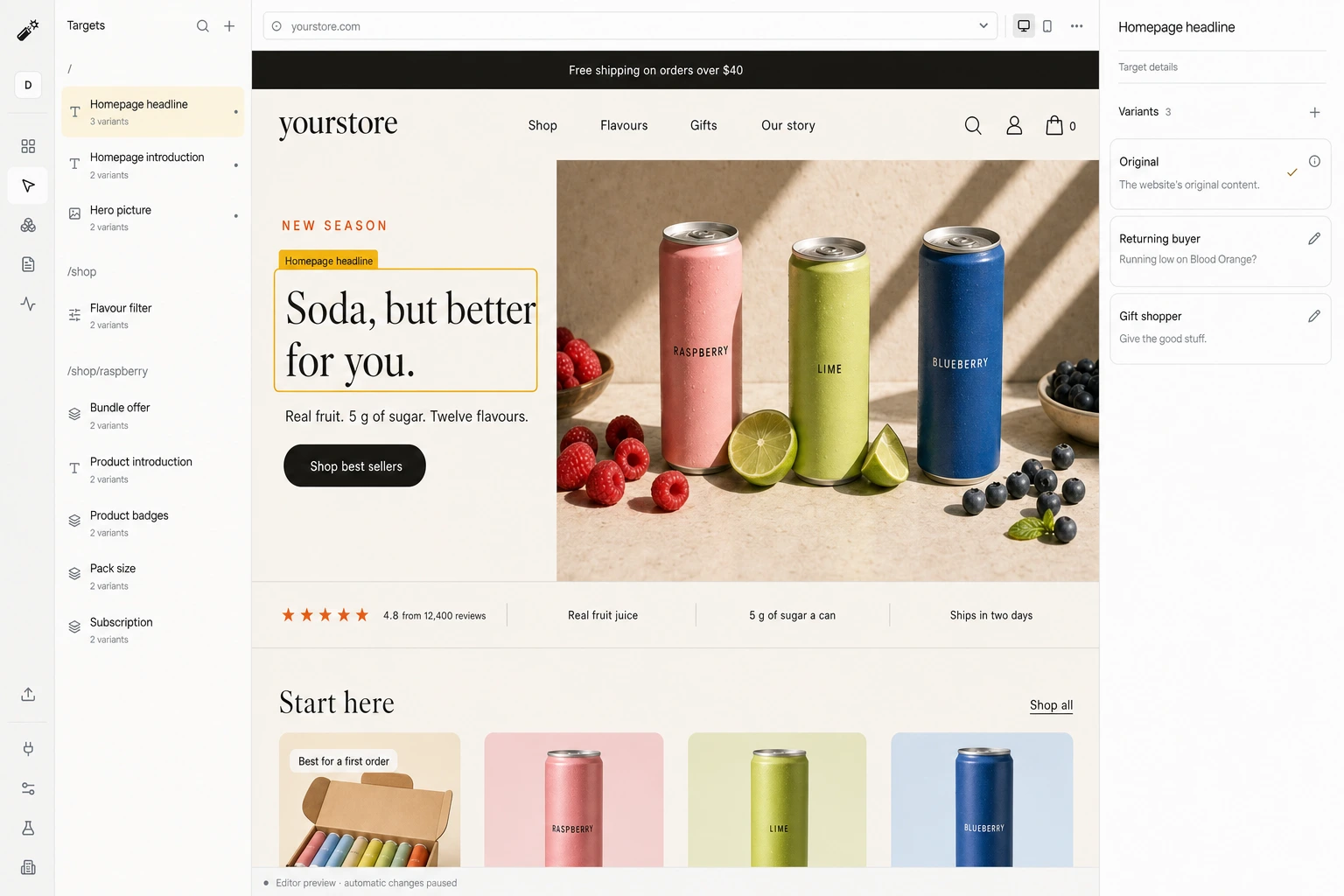
- Review a draft and go liveStep through each target and version on your real pages in the editor, then publish.
Good to know
- No Webflow app or marketplace listing. The install is custom code, which Webflow’s support team does not cover.
- A Webflow interaction that animates or rebuilds an element can undo a change to it.
- A campaign version needs its exact utm_campaign value on the landing URL. Visits without it are not eligible.
What happens on each visit
- A visit arrivesYour original page renders first.
- Signals are readCampaign, pages viewed, past visits, and any data you connected.
- A version is pickedOnly among the versions you approved, usually within 300 ms.
- The page changes, or staysAfter 1.5 s, or on any error, the original is kept.
Convert 20% more of your existing traffic
Dynamite’s real-time AI serves every visitor the content and offers most relevant to them, typically outperforming a static website by 20%.
You keep control
Dynamite doesn't generate new designs on the fly. You configure the possible designs on our dashboard, along with who they are for.
Questions
Where is the snippet installed?
Site settings → Custom code → Head code, which covers the whole site. Save, then publish.
Does this work with Webflow CMS pages and native forms?
A target on a collection template applies to every item built from it. Native forms keep submitting to Webflow provided the form itself is left out of targets.
What happens if personalization is unavailable?
The visitor sees the page you published in Webflow. A late or failed decision changes nothing.
What is included in setup and what affects cost?
Setup starts with an onboarding call, where we help with your first versions. Cost follows the number of visits personalized, and visitors held back in the control group are not sent for a decision.
See Dynamite on your Webflow site.
Or email samraaj@ion.design