Create and review website personalization with your AI assistant
Dynamite has an MCP server. With an edit key, an assistant can read your site, save audiences, targets and versions, and send back screenshots. Everything it saves is a draft that a person publishes.

The run, tool by tool
A full setup goes in this order: create_website, scan_pages on the homepage and the pages that hold evidence (customers, case studies, pricing), extract_design_system, update_context, save_persona for two to four audiences, save_target for three to six regions, save_variant two to four times per target, and set_goal on the real conversion control.
Then check_placement loads the draft in a cloud browser, review_draft returns findings on brand fit, claims and placement, and check_test reports on test quality. The agent reruns review_draft until no blocking finding is left.
Before you start
- A Dynamite account, which starts with an onboarding call
- An assistant or agent that can connect to an MCP server
- The editor role for an edit key, or admin for a publish key
Steps
- Create an edit keyIn Settings, create an MCP key at the edit level and add the server to your client with it.
- Brief the agentName the site and list the tools in order, ending with “run check_test and stop before publish”.
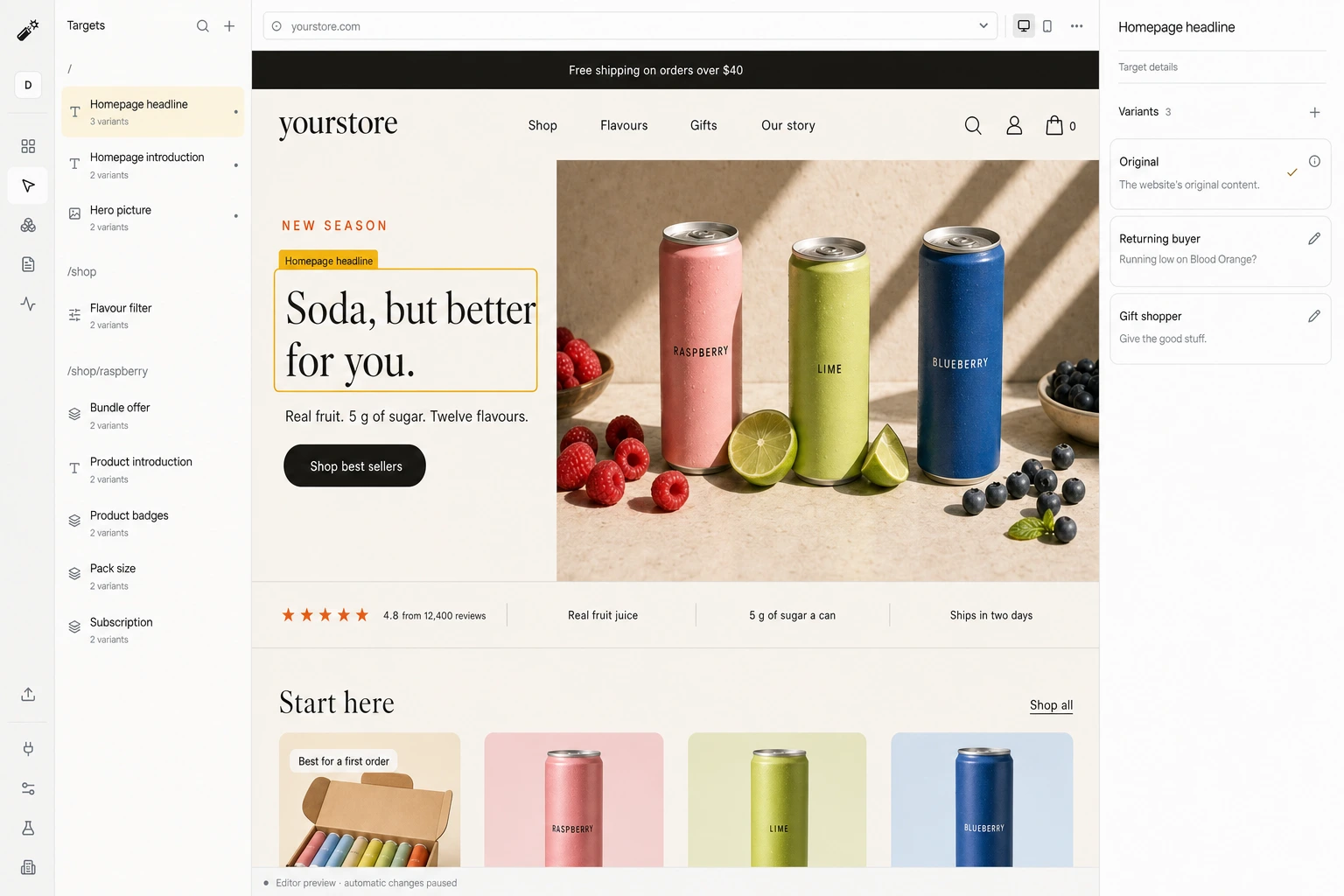
- Review and publishOpen the editor link the agent returns, step through each target and version on your real pages, and publish the draft yourself.
Good to know
- The agent reads public pages only. It does not sign in to your site or CMS, and it never edits your source.
- Preview scenarios and demo controls have no tool of their own. update_website can set them, but it replaces the whole draft.
- The agent’s judgment depends on its brief. When a run finds too little proof, the instruction it was given is the first thing to compare.
Built for your agents
Dynamite can be driven entirely over MCP, so your agents create, manage, and optimize personalization themselves.
 Claude
 OpenAI
- Any MCP client
Self-improving
Dynamite reviews performance across all variants and personas, so each iteration gets better.
Convert 20% more of your existing traffic
Dynamite’s real-time AI serves every visitor the content and offers most relevant to them, typically outperforming a static website by 20%.
You keep control
Dynamite doesn't generate new designs on the fly. You configure the possible designs on our dashboard, along with who they are for.
Questions
Which assistants have been verified?
The server follows the open MCP standard and is used with MCP clients such as Claude and OpenAI’s tools. There is no native Claude or ChatGPT app.
Can the agent publish automatically?
Only with a publish-level key, which an admin has to create. With a read or edit key the publish call is refused.
Can I review every change?
Yes. The editor shows each target and version on your real website before anything is published, and an admin can roll back to an earlier release.
See Dynamite with MCP and AI Assistants.
Or email samraaj@ion.design