Personalize your Next.js marketing site
Dynamite loads on a Next.js App Router site from one Script element in app/layout.tsx. There is no package to add. Your server HTML is the default version, and approved versions are applied in the browser after it renders.

Install on Next.js with one line of JavaScript
<script defer src="https://www.usedynamite.com/dynamite.js" data-site="your-site"></script>The Script element
The Script element goes in the root layout, which is where Next.js says to load a third-party script for all routes. Its data-site attribute is forwarded to the final script element.
Keep the default strategy, afterInteractive, which injects the script client-side after some or all of hydration. beforeInteractive is reserved for critical scripts, and worker does not work with the App Router.
Before you start
- A Next.js site on the App Router, with access to app/layout.tsx
- The ability to deploy
- A Dynamite workspace for the site’s domain
Steps
- Add the Script element to the root layoutInstallation in Dynamite shows your data-site value. In app/layout.tsx, import Script from next/script and add this element with that value. Leave the strategy at its default.
<Script src="https://www.usedynamite.com/dynamite.js" data-site="WORKSPACE_ID" />app/layout.tsx, inside the root layout. Replace WORKSPACE_ID with your data-site value. - DeployShip the change to the domain your Dynamite workspace is set up for.
- Confirm the installOpen the deployed site once. Installation shows the script checking in.
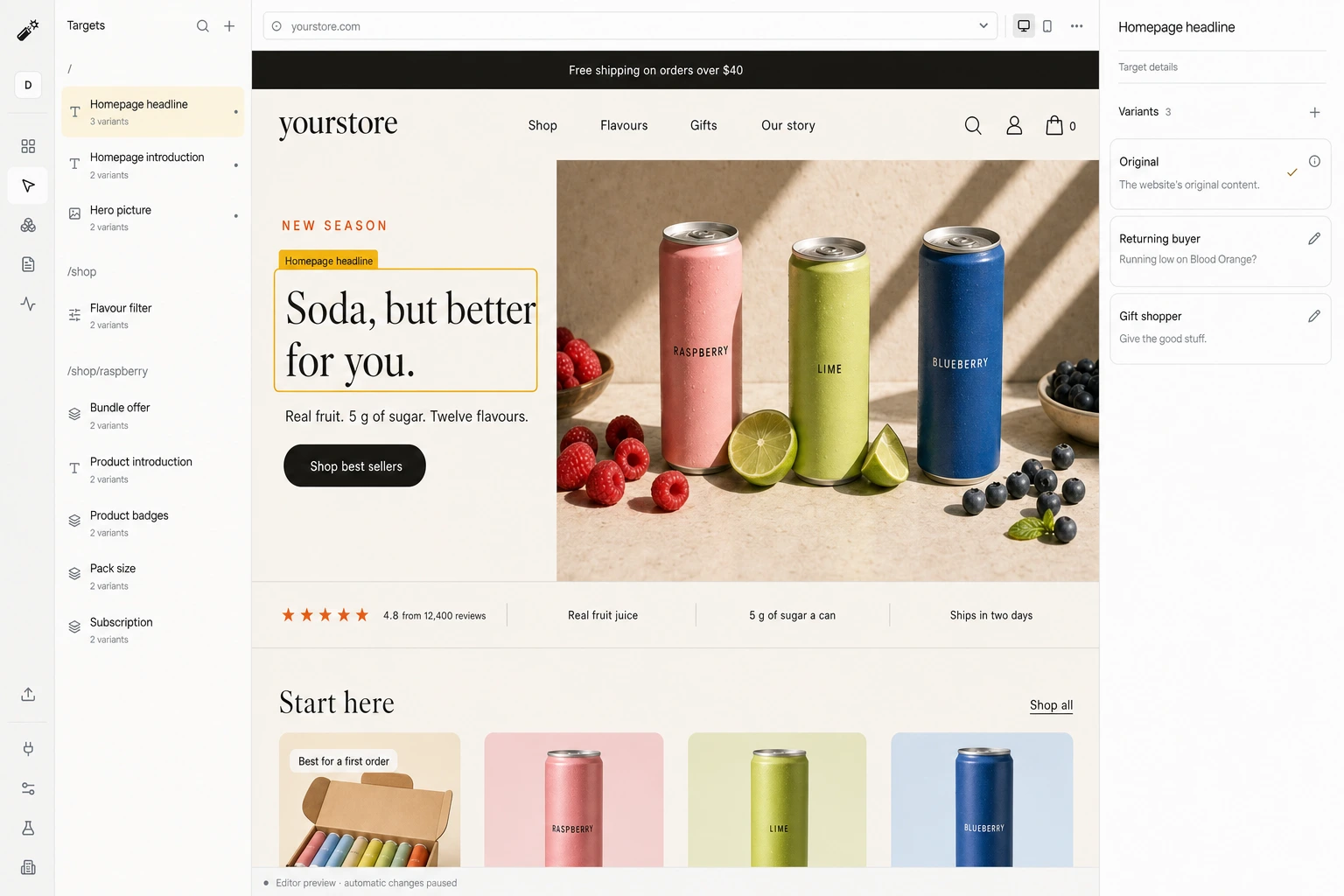
- Review a draft and go liveStep through each target and version in the editor, navigate between routes to check them, then publish.
Good to know
- No npm package and no server-side rendering of versions.
- A React re-render of a changed region can restore the original. This interaction is untested.
- These steps cover the App Router only.
What happens on each visit
- A visit arrivesYour original page renders first.
- Signals are readCampaign, pages viewed, past visits, and any data you connected.
- A version is pickedOnly among the versions you approved, usually within 300 ms.
- The page changes, or staysAfter 1.5 s, or on any error, the original is kept.
Convert 20% more of your existing traffic
Dynamite’s real-time AI serves every visitor the content and offers most relevant to them, typically outperforming a static website by 20%.
You keep control
Dynamite doesn't generate new designs on the fly. You configure the possible designs on our dashboard, along with who they are for.
Questions
How does this interact with hydration?
The script loads after hydration and changes regions once the original has rendered. A later React re-render can put the original back, so pick regions that do not re-render from client state.
Does it work after client-side navigation?
Next.js loads the script once and does not re-run it between pages. Dynamite observes route changes itself and requests a fresh decision for each route.
What content is prerendered?
Your original HTML, exactly as today. Versions are applied in the browser and are absent from the server response.
See Dynamite with Next.js.
Or email samraaj@ion.design